Most TV studios waste thousands on camera gear that looks impressive but breaks down their entire workflow within months. The real problem isn’t budget — it’s buying equipment before checking sensor size, codec support, and SDI output compatibility against your existing broadcast infrastructure. One mismatched lens mount quietly kills production speed for years. Before you spend a single pound, there are critical technical factors that most purchasing guides conveniently skip over.
Camera Types That Actually Work in TV Studios
Picking the right camera for a TV studio isn’t guesswork — it’s a technical decision that shapes everything from image quality to workflow. The broadcast community relies on a few proven camera types to get the job done.
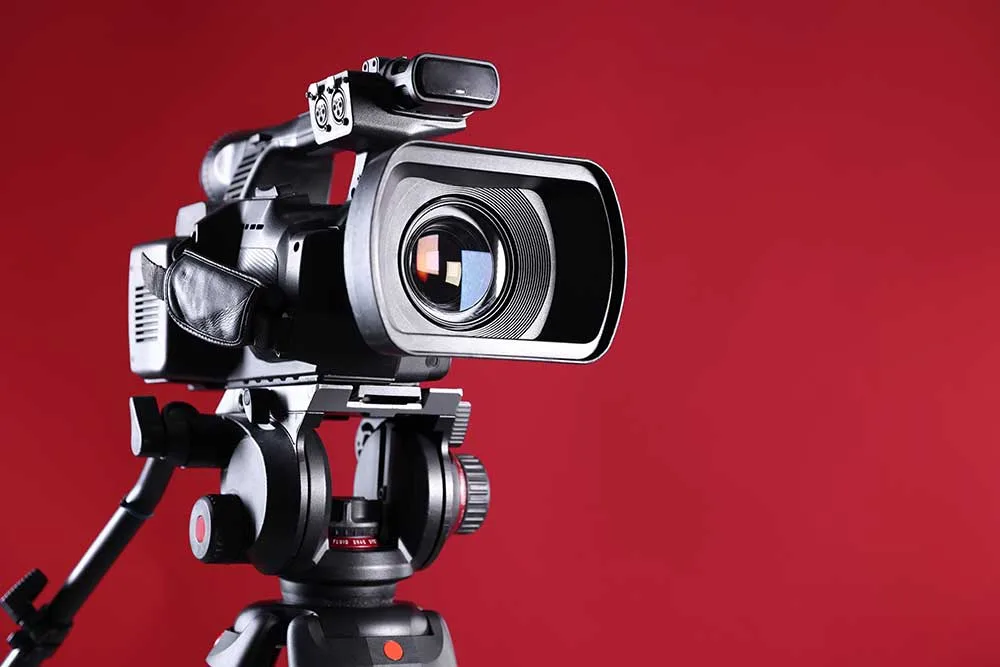
Studio cameras mount on pedestals and use 2/3-inch 3CCD or 3CMOS sensors, furnishing wide depth-of-field for multi-camera setups. They transmit signals via fibre optic, triaxial, or radiofrequency cables — no onboard recording needed.
PTZ cameras operate remotely, automating pan-tilt-zoom movements through programmable presets. Brands like Sony, Panasonic, and Blackmagic Design support full HDTV broadcast across news and sports environments. These cameras are also deployed in corporate boardrooms, where they mount to walls or ceilings and use heavy glass lenses and large optical sensors to automatically frame speakers seated at long conference tables.
EFP cameras offer quick re-framing capability, making them ideal for sports and entertainment productions. They also transmit signals externally, giving your team flexible, reliable studio infrastructure.
At higher budget levels, studios increasingly turn to cinema-derived options like the Blackmagic Studio Camera 6K Pro, which draws from cinema camera technology and delivers Blackmagic RAW recording up to 6144×3456 resolution alongside 12G-SDI output in a live production form factor.
What Camera Specs Matter Most for Broadcast Quality?
Once you’ve chosen your camera type, you need to grasp the specs that separate broadcast-quality footage from amateur video.
Resolution, HDR support, RAW recording formats, and lens mount compatibility all directly affect how your footage performs on air.
Getting these specs right means your studio output meets the technical standards that broadcasters and networks actually require. For example, Netflix mandates a minimum 240 Mbps data rate at 24 FPS as part of its capture requirements for approved productions.
Professional TV studio cameras typically output uncompressed HD and 4K signals via SDI connections, making signal integrity and cabling infrastructure equally critical to the camera specification itself.
Resolution and Frame Rates
Before selecting a broadcast camera, you need to grasp resolution and frame rates — they’re the two specs that most directly affect image quality on screen. Together, they define how your audience experiences every frame.
Resolution sets your image’s pixel count. Standard HD broadcast uses 1080p (1920×1080), while 4K UHD (3840×2160) delivers four times more detail. Professional camera equipment built for studios typically supports both. Multi-camera 4K recordings can demand hundreds of gigabytes per hour, making robust storage infrastructure essential for any serious production environment.
Frame rates control motion smoothness:
- 24fps — cinematic broadcast look
- 30fps — standard TV and social media
- 60fps — sports and live action
- 120fps/240fps — slow-motion replays
Higher frame rates can reduce resolution, so balance both carefully. When recording at high frame rates without autofocus support, lock focus before recording to get the sharpest results. Quality broadcast equipment from trusted studios suppliers helps you match the right specs to your production goals.
HDR and RAW Formats
Resolution and frame rates shape how sharp and smooth your footage looks, but HDR and RAW formats determine how much visual information your camera actually captures and retains. Grasping these specs helps you choose equipment that fits your broadcast community’s standards.
Modern broadcast cameras support key HDR standards and RAW formats, including:
- HLG and PQ (ST 2084) for broadcast-compatible HDR workflows
- BT.2020 colour gamut for wider, more vivid colour representation
- S-Log3 encoding, which preserves extended contrast range before HDR conversion
- X-OCN RAW format in CineAlta cameras for HDR-ready capture
- Simultaneous HDR/SDR output for flexible SR-Live production environments
S-Log3 functions as a RAW-like intermediary in studio cameras. It captures 14+ stops of contrast range, providing richer highlights and shadow detail than standard SDR workflows. Some studio cameras, such as the Panasonic AK-HC3900GSJ, support variable HDR alongside simultaneous HDR/SDR workflows, giving operators added flexibility when managing complex broadcast pipelines. In large-scale broadcast environments, professional camera equipment is routinely specified using TV studio logic adapted from established studio practices to ensure flawless video capture across demanding production settings.
Lens Mount Compatibility
Many broadcast professionals overlook lens mount compatibility until it becomes a costly problem. Your lens mount determines which lenses fit your camera body. Getting this right from the start delivers a great result for your entire production workflow.
Broadcast-specific mounts like the B4 mount serve HD ENG video lenses effectively. The PL mount remains the industry standard for cinema production, measuring 52mm flange distance. Sony E-mount measures just 18mm, accepting most adapters with ease.
You’ll find that shorter flange distances expand your adapter options considerably. Canon EF lenses convert to RF, Sony E, MFT, and L-mount systems. Grasping your lens mount choices helps you invest wisely in professional audio gear and camera infrastructure that your whole broadcast team can rely on confidently. When using full-frame lenses on crop sensors, speed boosters can reduce the crop factor while also increasing the light-gathering ability of the lens.
Working alongside experienced broadcast infrastructure suppliers ensures your camera and lens combination is evaluated against the technical procurement standards that govern reliable studio installations in professional broadcast environments.
Top Professional Studio Camera Brands Compared
When choosing a studio camera, the brand you select shapes your entire production workflow.
Each professional brand brings distinct strengths to telecommunications hardware and studio camera environments.
Here’s how the top brands compare:
- Canon – EOS R5 Mark II delivers 8K 60p RAW video and 8.5 stops of stabilisation
- Sony – A1 flagship captures 50.1MP stills and 8K 30p video at 30fps bursts
- Nikon – Z9 offers 45MP resolution with blackout-free shooting and impressive tonal range
- Panasonic – LUMIX GH5M2 balances portability with professional video capabilities
- Blackmagic – Studio Camera 6K Pro is purpose-built for live television broadcasting
You’re joining a community of professionals who rely on proven equipment.
Matching your brand choice to your production goals delivers great results consistently.
Commercial and hospitality installations often translate national television studio engineering standards directly into large-scale venue environments, meaning the camera systems and broadcast infrastructure used in studios inform the hardware selected for hotels, casinos, and corporate conference spaces.
What Accessories Does a Studio Camera Actually Need?
Once you’ve selected your studio camera, you’ll need the right accessories to make it fully operational on set.
A professional tripod with a geared head, like the GD3WH, gives you precise camera control during live broadcasts, while a video mixer lets you switch between multiple camera feeds in real time.
You’ll also want a teleprompter to help on-screen talent deliver scripts smoothly, and transmission tools to route your signal reliably to your broadcast chain.
In a fully built-out television studio, all of these camera feeds are aggregated through a master control room setup that serves as the central signal management point for cameras, microphones, and graphics.
Essential Tripod Options
A studio camera rarely performs at its best without a reliable tripod beneath it.
The right tripod converts your equipment into a stable, professional broadcasting setup. Carbon fibre and aircraft-grade aluminium construction deliver the durability you’ll need for demanding studio environments.
Your tripod system should meet these professional specifications:
- Fluid video heads must support a minimum payload of 10kg
- Adjustable pan and tilt drag settings enable smooth, precise camera movements
- A 75mm bowl base facilitates accurate levelling for broadcast applications
- Arca Swiss-compatible quick-release plates ensure secure, efficient camera mounting
- Maximum extended height of 192cm accommodates standard studio operator ergonomics
Matching your tripod’s load rating to your total camera and lens weight guarantees stability.
Never rely on extending the central column, as it introduces unwanted wobble.
Once your camera is positioned correctly, pairing it with a properly treated recording environment ensures that hard reflective surfaces do not compromise the audio quality captured during broadcast.
Video Mixer Fundamentals
Your tripod keeps the camera steady, but a video mixer determines what your audience actually sees. This device switches between camera feeds, graphics, and playback sources in real time. It’s the control centre of your studio workflow.
A professional setup includes your video mixer, an audio mixing console, and a server rack to house your signal processing equipment. These components work together to manage your broadcast output cleanly and efficiently.
Modern video mixers support multiple input channels, transition effects, and chroma key capabilities. You’ll want a unit that matches your studio’s camera count and resolution requirements.
Choosing the right mixer connects you to a community of broadcasters who value precision and reliability. Audio Africa supplies the professional broadcast infrastructure your studio needs.
Teleprompter and Transmission Tools
Getting your camera footage to air requires more than just the camera itself. You’ll need teleprompters and transmission tools to deliver polished, professional broadcasts. These accessories keep your on-screen talent confident and your signal flowing smoothly.
A solid teleprompter setup includes these key components:
- Beam-splitter glass reflects script text while keeping your subject in sharp focus
- High-brightness monitors stay visible under intense studio lighting
- NDI compatibility syncs camera feeds and scripts over a single Ethernet cable
- PTZOptics Studio Pro delivers 12X optical zoom with full NDI integration
- Remote software control allows real-time script edits via smartphones or tablets
NDI transmission connects cameras directly to systems like OBS, vMix, and Wirecast. This optimises your entire production workflow considerably.
How to Build Your TV Studio Around Your Camera System
Building a TV studio around your camera system starts with one core principle: the camera determines everything else. Your camera choice shapes every decision that follows, from cabling to lighting.
Your camera system is the foundation of your studio — every other decision flows from that single choice.
Single-camera setups need basic signal routing. Multi-camera builds require doubled bandwidth, video routers, and coordinated switching infrastructure. PTZ cameras add remote control capability but increase system complexity.
Your signal chain connects acquisition to processing with minimal latency. Video routers act as the central hub, directing feeds to monitors, mixers, and multiviewers without signal loss.
Lighting grids position for even coverage based on your camera angles and talent placement. Cable decisions, like Co-Ax SDI or 12G-SDI for 4K production, follow directly from your camera specifications. Build your infrastructure around your camera, and everything integrates cleanly.
Choosing the Right Video Mixer for Your Studio Camera Setup
Once you’ve chosen your cameras, the video mixer becomes your next critical decision. It connects all your cameras and controls what viewers see on screen. Choosing the right one means matching it to your studio’s size and goals.
Look for these key features when selecting your mixer:
- Input count that matches your total camera setup
- HDMI or SDI inputs for professional signal handling
- 4K resolution support to future-proof your production
- Multiview monitoring to see all sources simultaneously
- Built-in streaming and recording for direct output capability
Models like the Blackmagic Design ATEM Mini Pro start at $495, making professional switching accessible. The Roland V-60HD offers 7 inputs for medium productions. You’ll find the right fit when your mixer matches your broadcast ambitions.
Where to Source Professional Studio Cameras in Africa
Sourcing professional studio cameras across Africa has become more accessible, with dedicated suppliers now operating in key markets. You’ll find strong options across South Africa and Kenya.
South Africa suppliers include:
- Applix (Gauteng) — Blackmagic, Panasonic, BirdDog cameras
- KPG — Blackmagic Studio Camera 4K Pro G2, with Cape Town and Johannesburg offices
- Orms Direct — 8 broadcast camera models listed
- Visual Impact — top-tier TV studio equipment
Kenya suppliers include:
- Cameras Africa (Nairobi) — widest camera range, countrywide delivery
- Camera Hub for Africa — PTZ cameras and studio solutions
Blackmagic Design dominates broadcast camera listings across the continent.
CameraStuff delivers nationwide in South Africa on orders over R1,000.
You’re part of a growing community of African broadcasters building serious infrastructure.